Get your Stepsies account set up and publish your first guide in under 5 minutes.
Step 1: Create your account
Head to stepsies.com/signup to create your free account. You’ll need to provide:
- Email address — Where you’ll receive account notifications
- Username — Your unique profile URL (stepsies.com/@yourname)
- Password — At least 8 characters
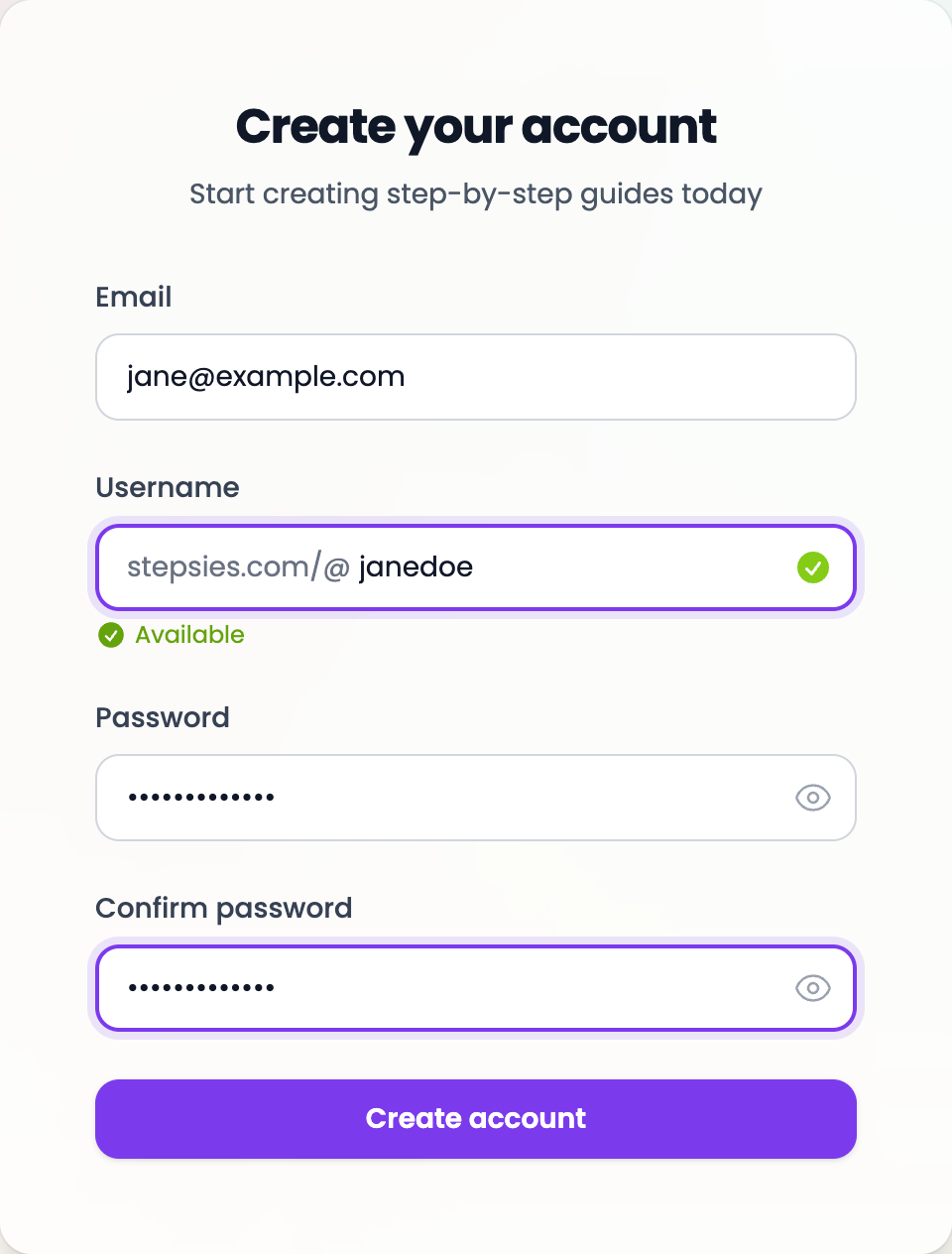
Once you submit, you’ll start with a free plan that includes up to 3 guides—no credit card required.
Step 2: Create a new Stepsy
From your dashboard, click the “New Stepsy” button to create your first guide.
New Stepsy
Give it a title—this will be the main heading readers see.
Step 3: Add your steps
Click the Add button to create your first step. Each step has two fields:
- Step Title — A short heading for this step
- Content — Rich text with formatting options, images, and video embeds
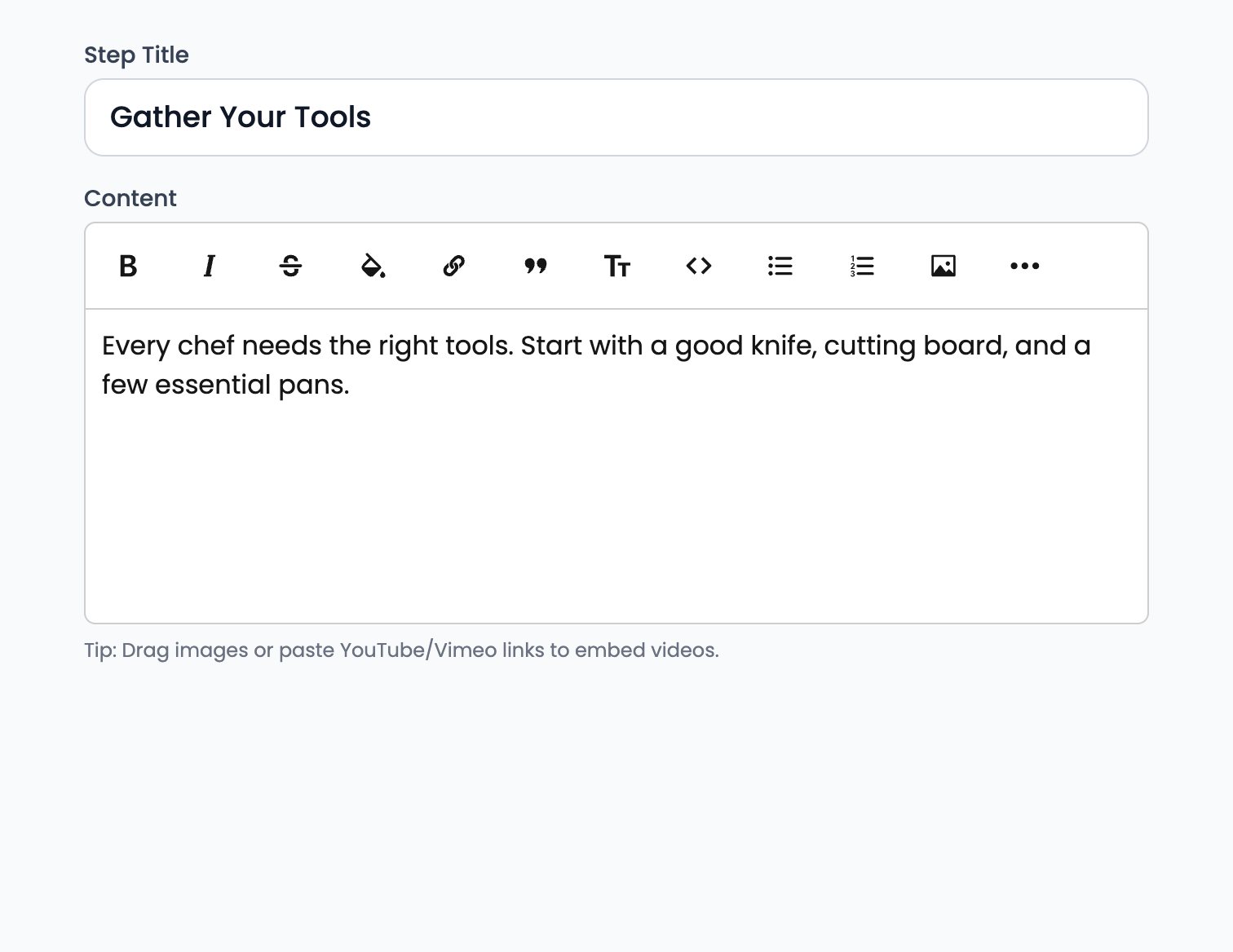
Repeat for each step in your guide. Your changes save automatically as you type.
Step 4: Publish and share
When you’re happy with your guide, click “Publish”. Your guide is now live!
Copy the share link and send it to your audience. You can also:
- Share directly to social media
- Generate a QR code
- Get an embed code for your website